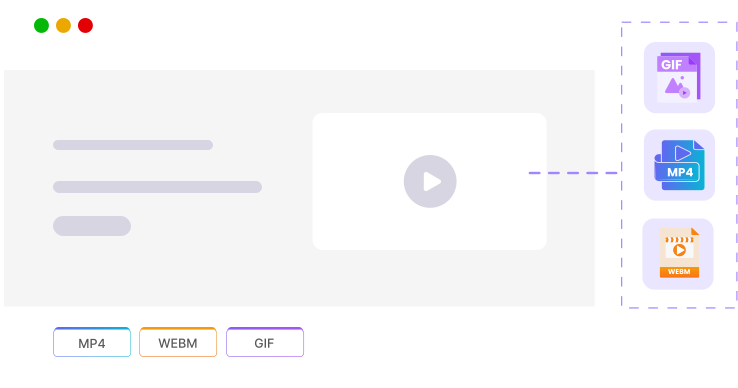
Capture entire webpages with a single full page screenshot, ideal for presentations, documentation, and design reviews. Our scrolling screenshot tool exports in multiple formats and takes a full-page screen capture from any public or protected website. A free, no-install way to take a screenshot of an entire web page on Mac or Windows.
ScreenshotAPI runs in live pipelines for thousands of developers from solo projects to enterprise monitoring systems. Here's what that actually looks like in practice.
88M+Screenshots capturedAcross all output formats since launch
99.9%Uptime SLAMonitored continuously at status.screenshotapi.net
< 3 hrsSupport response timeAverage first response on business days
6Output formatsPNG, JPEG, PDF, MP4, GIF, WebM
100 free screenshots to start
No credit card required. Full API access from day one.
ScreenshotAPI vs Puppeteer for full-page screenshots
An honest breakdown. Puppeteer is a capable tool but for most teams that need scrolling captures at scale, the operational overhead isn't worth it.
Advantage Possible with extra work Disadvantage Context-dependent
Capability
ScreenshotAPI
Puppeteer / Playwright
Setup required
API call only
Node.js + Chromium + dependencies
Puppeteer requires a local or hosted Chromium binary. On Linux servers you'll also need system libraries: libgbm, libasound2, libgtk-3-0, and more.
Full-page scrolling video output
Built-in (MP4, GIF, WebM)
Possible, but complex
Puppeteer has no native scrolling video. You'd need to scroll manually, capture frames with canvas, and encode them using ffmpeg, dozens of lines of brittle code.
Lazy-load content rendering
Handled automatically
Manual scroll loops required
ScreenshotAPI's scroll_back and scroll_speed parameters handle lazy-loaded content. With Puppeteer you need to write your own scroll-wait-check loop.
Infrastructure to maintain
None
Yes server, memory, process crashes
Puppeteer in production needs memory management, crash recovery, concurrency limits, and regular Chromium version updates.
Authenticated page capture
Cookies + headers supported
Full control
Both support authenticated pages. ScreenshotAPI handles session cookies and custom headers; Puppeteer gives you programmatic control over the full browser session.
Output formats
PNG, JPEG, PDF, MP4, GIF, WebM
PNG, JPEG, PDF only natively
Puppeteer does not natively output video or GIF. Those formats need additional tooling.
Concurrency / scaling
Handled by the API
You manage browser pool
Parallel Puppeteer instances are memory-heavy (~150–200MB per browser). You need a queue, pool manager, and autoscaling. ScreenshotAPI handles this for you.
Time to first capture (new project)
~5 minutes
Hours to days for production setup
With ScreenshotAPI, a working curl command takes 5 minutes. Getting Puppeteer production-ready with concurrency, error handling, and a server takes significantly longer.
Puppeteer requires a local or hosted Chromium binary. On Linux servers you'll also need system libraries: libgbm, libasound2, libgtk-3-0, and more.
Full-page scrolling video output
ScreenshotAPIBuilt-in (MP4, GIF, WebM)PuppeteerPossible, but complex
Puppeteer has no native scrolling video. You'd need to scroll manually, capture frames with canvas, and encode them using ffmpeg, dozens of lines of brittle code.
ScreenshotAPI's scroll_back and scroll_speed parameters handle lazy-loaded content. With Puppeteer you need to write your own scroll-wait-check loop.
Infrastructure to maintain
ScreenshotAPINonePuppeteerYes server, memory, process crashes
Puppeteer in production needs memory management, crash recovery, concurrency limits, and regular Chromium version updates.
Authenticated page capture
ScreenshotAPICookies + headers supportedPuppeteerFull control
Both support authenticated pages. ScreenshotAPI handles session cookies and custom headers; Puppeteer gives you programmatic control over the full browser session.
Output formats
ScreenshotAPIPNG, JPEG, PDF, MP4, GIF, WebMPuppeteerPNG, JPEG, PDF only natively
Puppeteer does not natively output video or GIF. Those formats need additional tooling.
Concurrency / scaling
ScreenshotAPIHandled by the APIPuppeteerYou manage browser pool
Parallel Puppeteer instances are memory-heavy (~150–200MB per browser). You need a queue, pool manager, and autoscaling. ScreenshotAPI handles this for you.
Time to first capture (new project)
ScreenshotAPI~5 minutesPuppeteerHours to days for production setup
With ScreenshotAPI, a working curl command takes 5 minutes. Getting Puppeteer production-ready with concurrency, error handling, and a server takes significantly longer.
This comparison applies to Playwright as well. It has the same infrastructure requirements and video output limitations as Puppeteer. If your team needs full browser scripting control, self-hosting is the right call. If you need reliable scrolling captures without the ops overhead, the API is faster.
https://linear.app/
1280
1024
MP4
Scrolling Screenshot
Scroll Back
Generate
Reverse Scrolling for Complete Page Video Capture
Ensure nothing is missed during full-page captures with Scroll Back. When enabled, the API scrolls through the entire page and then scrolls back up before taking the screenshot, allowing sticky headers, dynamic elements, and lazy-loaded content to render properly. This ensures your screenshots look exactly like a real user’s view—complete, stable, and fully loaded.
Webpage Scroll Speed Control - Adjust Scrolling Rate for Perfect Capture
Control how quickly the page scrolls while capturing with the Scroll Speed option. Choose Fast for efficiency, Normal for balanced performance, or Slow when you need extra time for animations, videos, or lazy-loading content to appear. Adjusting scroll speed gives you precise control over rendering, so your screenshots capture every detail without missing visual elements.
Webpage Recording Duration - Control Capture Length & Timing
Duration defines how long the API will record a video of the webpage. This is useful when you want to capture user interactions, animations, or dynamic content over a specific period of time. By setting the duration, you can control how many seconds of the page activity are recorded, ensuring you capture the exact sequence you need.
Supported Video File Types - URL to GIF, WebM & MP4 Output Formats
Choose the format to save your scroll screenshot. Export the full-page capture as MP4, GIF, or WebM. A free, no-install alternative to desktop scrolling screenshot tools when you need to take screenshot of entire web page on Mac or Windows. See our roundup of the best free scrolling screenshot tool choices for 2026.
Every parameter that controls scrolling behavior, output format, viewport size, and timing. All parameters are passed as query strings on the /v3/screenshot endpoint.
Parameter
Type
Default
Description
scrolling_screenshot
boolean
false
Enables scrolling capture mode. Returns a video file instead of a static image.
file_type
string
mp4
Output format for scrolling captures. Accepted values: mp4, gif, webm.
scroll_speed
string
normal
Controls how quickly the browser scrolls. Values: fast, normal, slow. Use slow for pages with lazy-loaded images or CSS scroll animations.
scroll_back
boolean
false
When true, the browser scrolls to the bottom and back to the top before capturing. Ensures sticky/fixed elements and lazy-loaded content render correctly.
duration
integer
—
Length of the recording in seconds. Use when you want to capture a fixed time window of page activity, independent of scroll progress.
width
integer
1680
Viewport width in pixels. Affects responsive layout breakpoints. Common values: 375 (mobile), 768 (tablet), 1280–1920 (desktop).
height
integer
876
Initial viewport height. For scrolling captures, the total captured height extends beyond this value as the page scrolls.
delay
integer
0
Wait time in milliseconds before the scroll sequence begins. Useful for pages with load animations or deferred rendering.
token
string
—
Your API authentication token. Required on every request. Supports both public and authenticated (cookie/header) page captures.
scrolling_screenshotboolean
Enables scrolling capture mode. Returns a video file instead of a static image.
Default: false
file_typestring
Output format for scrolling captures. Accepted values: mp4, gif, webm.
Default: mp4
scroll_speedstring
Controls how quickly the browser scrolls. Values: fast, normal, slow. Use slow for pages with lazy-loaded images or CSS scroll animations.
Default: normal
scroll_backboolean
When true, the browser scrolls to the bottom and back to the top before capturing. Ensures sticky/fixed elements and lazy-loaded content render correctly.
Default: false
durationinteger
Length of the recording in seconds. Use when you want to capture a fixed time window of page activity, independent of scroll progress.
Default: —
widthinteger
Viewport width in pixels. Affects responsive layout breakpoints. Common values: 375 (mobile), 768 (tablet), 1280–1920 (desktop).
Default: 1680
heightinteger
Initial viewport height. For scrolling captures, the total captured height extends beyond this value as the page scrolls.
Default: 876
delayinteger
Wait time in milliseconds before the scroll sequence begins. Useful for pages with load animations or deferred rendering.
Default: 0
tokenstring
Your API authentication token. Required on every request. Supports both public and authenticated (cookie/header) page captures.
Four steps from API request to a complete full-page video capture. No browser setup, no Puppeteer scripts, no headless server to maintain.
01
Send a request with scrolling_screenshot=true
Add the scrolling_screenshot parameter to your standard screenshot API call. You can combine it with any other parameter (width, height, file_type, full_page, delay) exactly as you would for a static capture.
scrolling_screenshot=true&file_type=mp4
02
The API launches a headless browser and loads your URL
A real Chromium instance opens the target page. JavaScript runs, fonts load, network requests complete. This isn't a simple HTTP fetch, it's a full browser render, which means SPAs, iframes, and dynamic content all behave as they would for a real visitor.
url=https://yoursite.com&width=1440&height=900
03
The browser scrolls through the entire page
The API scrolls from top to bottom at your chosen speed (fast, normal, or slow). Lazy-loaded images and scroll-triggered animations fire naturally during the scroll. Enable Scroll Back to ensure sticky headers and fixed elements render correctly before the final capture.
scroll_speed=slow&scroll_back=true
04
Content is recorded and returned in your chosen format
The full scroll sequence is encoded as MP4, GIF, or WebM and returned to your API call. You get a direct URL to the output file. The total time depends on page complexity and scroll speed.
file_type=mp4
Code Examples
Integrate the scrolling screenshot API in minutes
Copy a working example for your stack. Every example uses real endpoint parameters, swap in your token and URL and run it.
const fetch =require("node-fetch");const fs =require("fs");asyncfunctioncaptureScrollingScreenshot(url){const params =newURLSearchParams({ token: process.env.SCREENSHOT_API_TOKEN, url: url, width:"1440", height:"900", scrolling_screenshot:"true", scroll_speed:"slow",// slow | normal | fast scroll_back:"true",// re-scroll up for sticky headers file_type:"mp4",});const endpoint =`https://shot.screenshotapi.net/v3/screenshot?${params}`;const response =awaitfetch(endpoint);if(!response.ok){const err =await response.json(); throw newError(`API error: ${err.message}`);}const buffer =await response.buffer(); fs.writeFileSync("output.mp4", buffer); console.log("Saved scrolling screenshot to output.mp4");}captureScrollingScreenshot("https://example.com").catch(console.error);
Use Cases
What developers use scrolling screenshots for
From CI pipelines to client reports anywhere you need the full page, not just the viewport.
E-commerce
Product page and catalog archiving
Capture full-length product pages, including reviews, related items, and recommendations below the fold, for competitive analysis, price monitoring, or historical records of how your own pages looked over time.
QA Testing
Visual regression and layout testing
Integrate scrolling captures into your CI pipeline to detect layout regressions across full pages, not just the viewport. Catch broken components, content overflow, and z-index issues that only appear further down the page.
Archiving
Web page preservation and legal records
Archive full-page captures of terms of service, competitor websites, news articles, or public content at a specific point in time. Useful for compliance teams, legal evidence, and preserving content before it changes or disappears.
Monitoring
Automated visual change detection
Schedule recurring scrolling captures to detect when page content, layouts, or calls-to-action change. Pair with a diffing tool to get alerted when a competitor changes pricing, a vendor updates terms, or a news story gets edited.
Reporting
Client reports and design presentations
Generate scroll-through videos of dashboards, landing pages, or data visualizations to embed in client decks or weekly reports. Beats sending a static crop that cuts off the most important parts of a long analytics page.
Compliance
Regulatory and audit documentation
Capture the full visible state of regulated web content cookie banners, disclosure text, pricing pages for audit trails. Scrolling captures prove that required elements were present and visible at a given date and time.
Frequently Asked Question
Common questions about the scrolling screenshot API
Answers to the questions we get most often from developers integrating full-page capture into their workflows.