



















Programmatic Screenshots

Website Screenshot API Built for Developers

Capture full page screenshots or viewport screenshots of any website with a single API call. Automatically blocks ads, cookie banners, and popups. Export as PNG, JPG, WebP, or PDF. Works with Node.js, Python, PHP, Ruby, Go, and Java - integrate in minutes.

Full Page Screenshot
URL to PNG
Block Cookies & Ads
URL to PDF
Lightning Fast
Scrolling Screenshot
Automated Screenshot
Visual Monitoring
Social Media Archiving

Trusted by Global Brands

Global enterprises rely on ScreenshotAPI to capture, monitor, and document webpages with precision and reliability. Capture pixel-perfect screenshots of any website via a single API call. Used by 10,000+ developers worldwide.

What Our Customers Say
urban-hunt.comtrueface.comcrypto.comlinked-in.comeventures.comurban-hunt.comdentsu.comacuvate.comhuawei.comhatperson.comtrueface.comurban-hunt.comtrueface.comcrypto.comlinked-in.comeventures.comurban-hunt.comdentsu.comacuvate.comhuawei.comhatperson.comtrueface.comurban-hunt.comtrueface.comcrypto.comlinked-in.comeventures.comurban-hunt.comdentsu.comacuvate.comhuawei.comhatperson.comtrueface.comurban-hunt.comtrueface.comcrypto.comlinked-in.comeventures.comurban-hunt.comdentsu.comacuvate.comhuawei.comhatperson.comtrueface.com
naver.comsupabase.comwix.combotpress.comhostinger.commongodb.comnetflix.comsamsung.comdaraz.comamazon.commintlify.comnaver.comsupabase.comwix.combotpress.comhostinger.commongodb.comnetflix.comsamsung.comdaraz.comamazon.commintlify.comnaver.comsupabase.comwix.combotpress.comhostinger.commongodb.comnetflix.comsamsung.comdaraz.comamazon.commintlify.comnaver.comsupabase.comwix.combotpress.comhostinger.commongodb.comnetflix.comsamsung.comdaraz.comamazon.commintlify.com
Puppeteer & Playwright Alternative

Stop Managing Headless Browsers. Use ScreenshotAPI Instead.

Self-hosting Puppeteer sounds simple - until you're debugging Chrome zombie processes at 3 AM. ScreenshotAPI gives you a fully managed Chromium rendering infrastructure so your team ships features instead of babysitting browsers.

The hidden cost of self-hosted Puppeteer

  • 300–500 MB RAM per concurrent Chrome instance
  • Memory leaks that surface only under production load
  • Weekly Chrome CVE patches and version drift issues
  • Custom orchestration needed for scale: queues, autoscaling, Kubernetes
  • Lazy-load, infinite scroll, and SPA hydration require custom logic per site
CriteriaSelf-hostedScreenshotAPI
Infrastructure costHigh (servers + DevOps)Included
Setup timeDays–weeks< 5 minutes
ScalingManual orchestrationAutomatic
JS renderingManual configurationBuilt-in
Ad/cookie blockingCustom rules required20,000+ rules built-in
MaintenanceOngoing (your team)Zero
self-hosted-puppeteer.js : 40+ lines
const puppeteer = require('puppeteer');

// Launch browser (manage memory, crashes, zombie procs)
const browser = await puppeteer.launch({
  headless: 'new',
  args: [
    '--no-sandbox',
    '--disable-setuid-sandbox',
    '--disable-dev-shm-usage' // avoid OOM in Docker,
    '--disable-gpu',
    '--single-process'
  ],
});

const page = await browser.newPage();
await page.setViewport({ width: 1280, height: 800 });

// Block ads manually (maintain your own rule list)
await page.setRequestInterception(true);
page.on('request', (req) => {
  if (req.resourceType() === 'image' || ... ) {
    req.abort();
  } else {
    req.continue();
  }
});

// Handle lazy-load (custom scroll logic per site)
await page.evaluate(async () => {
  await new Promise((resolve) => {
    let totalHeight = 0;
    const timer = setInterval(() => {
      window.scrollBy(0, 100);
      totalHeight += 100;
      if (totalHeight >= document.body.scrollHeight) {
        clearInterval(timer);
        resolve();
      }
    }, 100);
  });
});

await page.screenshot({ path: 'screenshot.png', fullPage: true });
await browser.close(); // hope it doesn't zombie
screenshotapi.js : 1 line. Done.
// No browser to install. No cluster to manage.
// Lazy-load, ad-blocking, and full-page: automatic.

const screenshot = await fetch(
  `https://shot.screenshotapi.net/screenshot
    ?token=YOUR_API_KEY
    &url=https://example.com
    &full_page=true
    &block_ads=true
    &no_cookie_banners=true
    &lazy_load=true
    &output=image`
);
Pixel-perfect. Full-page. Lazy-loaded. Ads blocked. No infrastructure.
Powerfull Features

Website Screenshot Service with 75+ Features

Powerful screenshot API designed for developers to capture high quality website screenshots, full page screenshots, and automated screenshots at scale. Easily convert webpages to images or PDFs with reliable, fast, and scalable screenshot automation.

Website Screenshot

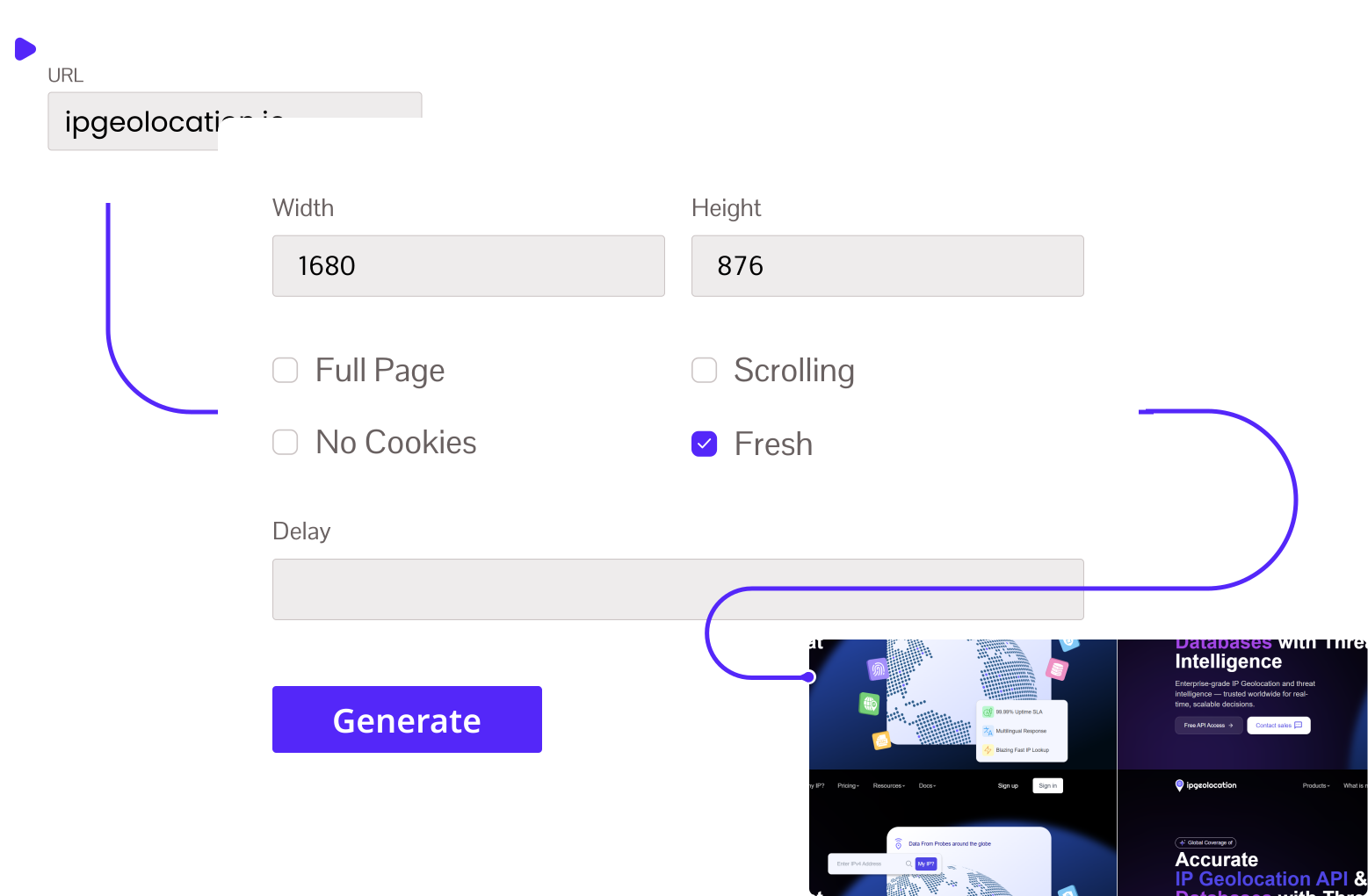
Take Viewport or Full Page Website Screenshots

Convert any URL to a high-quality full page screenshot or viewport snapshot instantly. ScreenshotAPI automatically blocks ads, cookie banners, and trackers for a clean, distraction-free result. Supports authentication, custom devices, dark mode, and dynamic content rendering - built for developers and businesses who need fast, automated website screenshots at scale.

URL to Screenshot
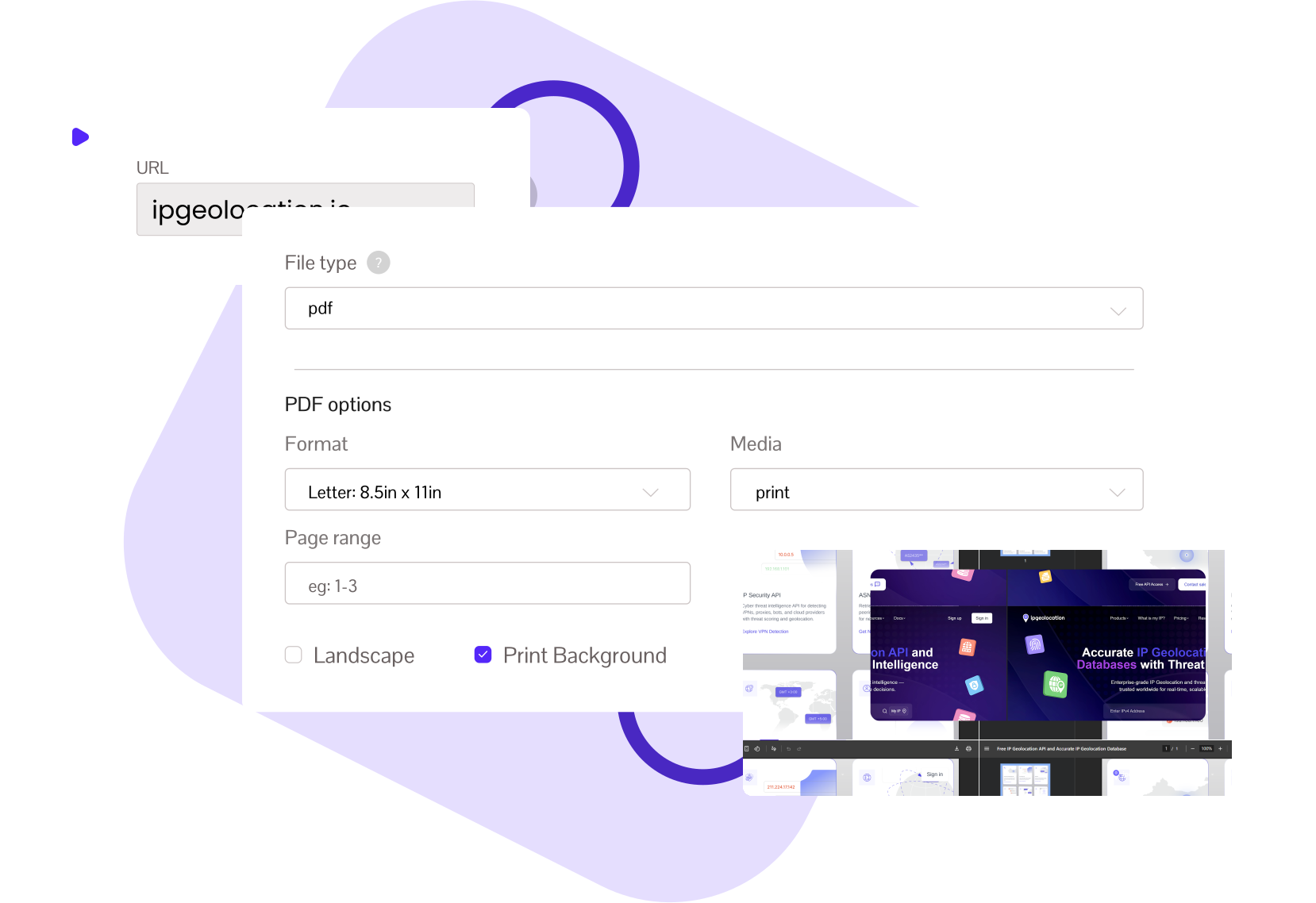
PDF Converter Tool

Webpage to PDF Converter - Preserve Layout, Fonts & Styles

Turn any live URL into a clean, shareable PDF with a single API call. ScreenshotAPI preserves layouts, fonts, and dynamic content while automatically removing ads, cookie banners, and tracking scripts. Perfect for archiving, compliance reports, invoice generation, and automated PDF workflows.

URL to PDF
Automated Screenshots

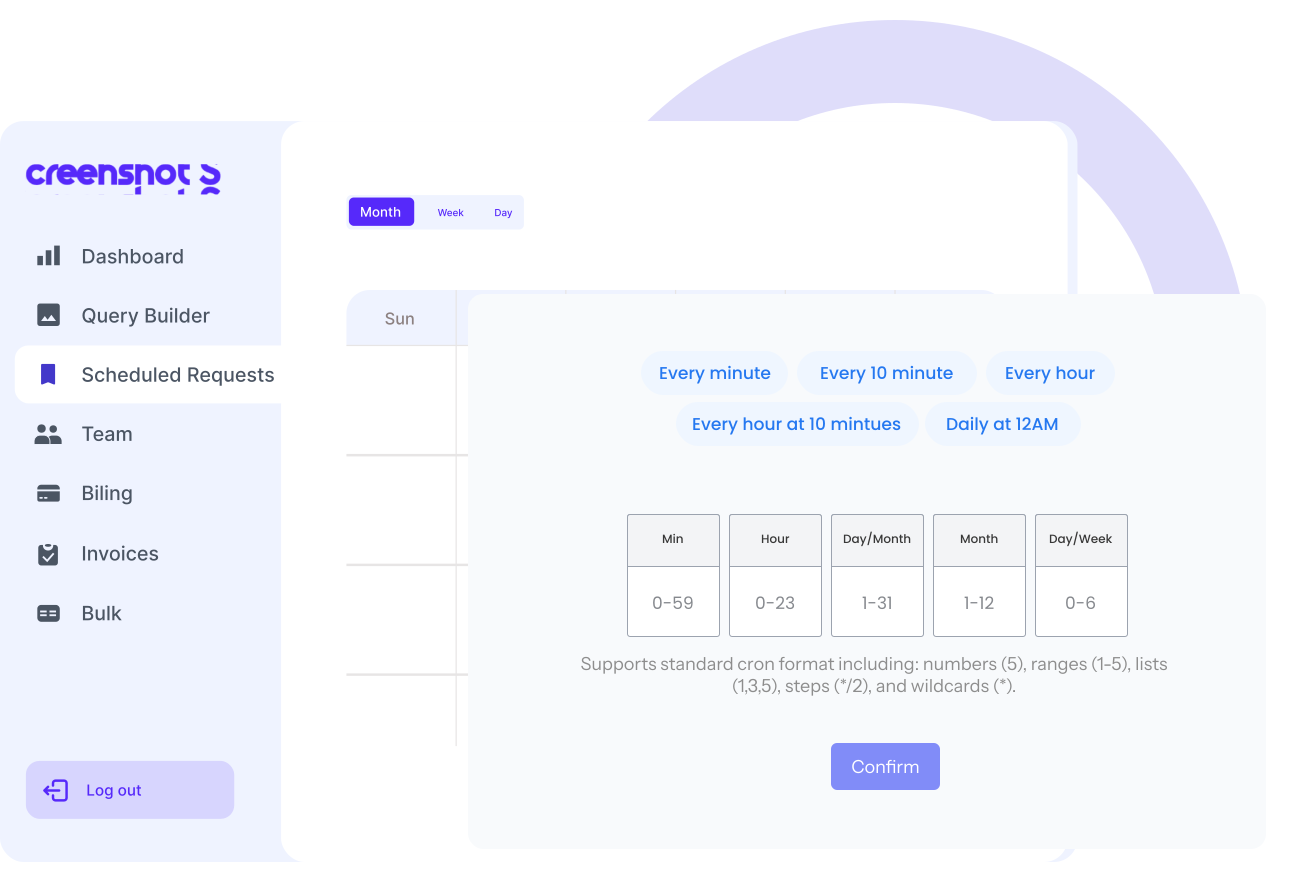
Automated & Schedule Siteshot Without Manual Effort

Set up automated website screenshots on any schedule using cron expressions (hourly, daily, or weekly). ScreenshotAPI captures full page snapshots automatically, making it easy to monitor visual changes, track content updates, and maintain uptime records over time. Ideal for QA teams, developers, and businesses who need reliable, hands-free screenshot automation.

Schedule Screenshot
Full Page Screen Capture

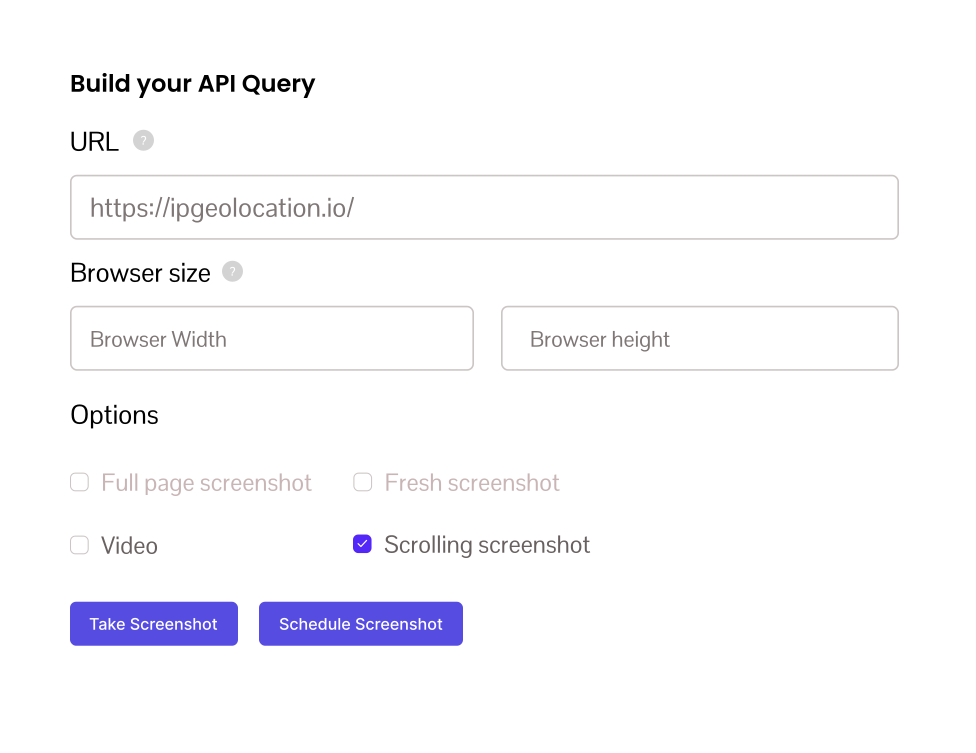
Scrolling Screenshots - Capture Full Page Content

Capture the entire page of any webpage as a scrolling video in MP4, GIF, or WebM format. ScreenshotAPI automatically scrolls to the bottom of the page - capturing every section, including dynamically loaded and infinite scroll content. Perfect for documentation, visual audits, and full page content monitoring without missing a single element.

Scrolling Screenshot
Bulk Rendering

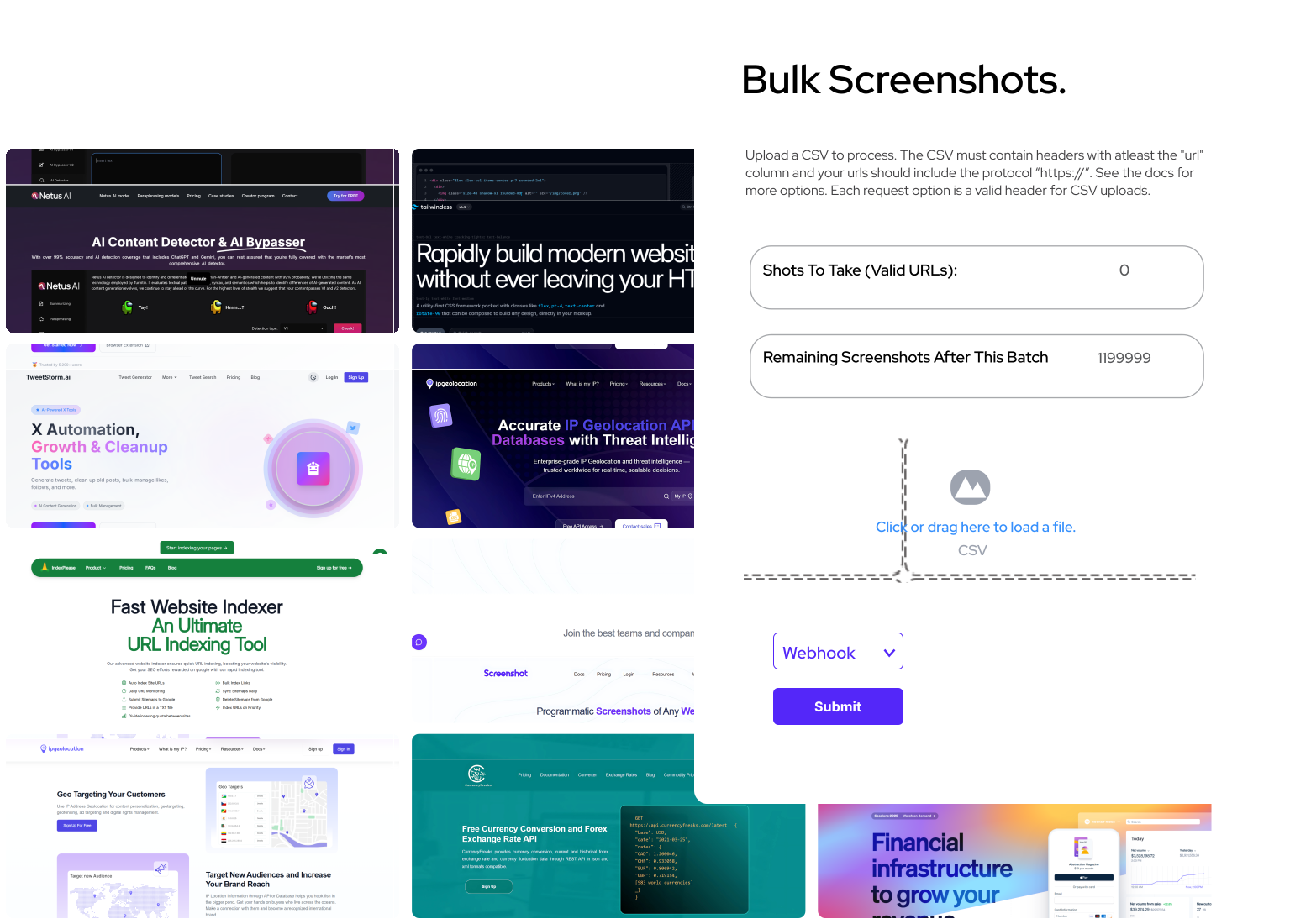
Bulk Screenshot API - Capture Thousands of Websites at Once

Screenshot hundreds or thousands of websites in one go with our Bulk Screenshot API. Simply upload a list of URLs (CSV or JSON) and ScreenshotAPI processes them automatically - generating clean, ad-free, uniform screenshots at scale. Ideal for large-scale website monitoring, SEO audits, competitive analysis, and automated reporting workflows.

Bulk Screenshot
Extract HTML & TEXT

Website Scraping API - Extract Data & Capture Screenshots Together

Combine powerful visuals with structured data extraction using the Website Scraping feature. Capture screenshots and extract key information - such as titles, metadata, prices, or text content. Ideal for research, analytics, and competitive intelligence, it delivers clean HTML or website content.

Website Scraping
Rendering Infrastructure

Real Chromium Browser. Not just a Screenshot Shortcut.

Every capture runs inside a full, isolated Chromium instance the same rendering engine as Google Chrome. No simplified parsers, no HTML-to-image converters. The modern web executes JavaScript; so does ScreenshotAPI.

Chromium

Rendering engine

20K+

Ad-blocking rules

75+

API parameters

99.9%

Uptime SLA

SPA & JS frameworks

Full JavaScript Execution

React, Vue, Angular, Next.js apps rendered correctly. ScreenshotAPI waits for scripts to execute, components to hydrate, and async data to load before capturing. No blank pages, no missing content.

lazy_load=true


View docs
Dynamic content

Full Page & Scroll Triggering

Full page screenshots automatically scroll through the entire page before taking the screenshot triggering lazy-loaded images, off-screen elements, and infinite-scroll sections. Nothing is clipped.

full_page=true
View docs
Blocking engine

20,000+ Rule Ad & Cookie Blocking

Our built-in blocking engine eliminates ads, GDPR consent banners, cookie pop-ups, chat widgets, and tracking scripts before capture. Clean screenshots, every time, zero manual selector config.

block_ads=true&no_cookie_banners=true
View docs
Timing control

Smart Render Timing Controls

Use the delay parameter for animation-heavy pages, wait_for_selector to hold until a specific DOM element appears, or networkidle to wait for all async requests to settle before capture.

delay=2000
View docs
Device emulation

Full Device & Viewport Emulation

Capture at any viewport (desktop, tablet, mobile). Set exact width/height, pixel density (retina 2×), user agent, dark mode, language, and geolocation. One API, every screen size.

retina=true&dark_mode=true
View docs
Auth support

Authentication & Cookie Injection

Screenshot pages behind login walls by injecting session cookies or custom headers directly into the request. Capture authenticated dashboards, paywalled content, and internal tools.

cookies=session_id=abc123
View docs

Explore Features Built for Your Workflow

See how ScreenshotAPI fits web archiving, testing, scheduled screenshots, PDF generation, and more.

Explore All Features

Easily Integrate
With Any Language

Easily connect and integrate with any programming language of your choice. ScreenshotAPI is designed for flexibility, ensuring smooth setup, faster development, and hassle-free compatibility across different tech stacks.

Use Cases

What 10,000+ Developers Build with ScreenshotAPI

ScreenshotAPI powers automated workflows across every industry from CI/CD pipelines to compliance archiving, AI agents to no-code marketing tools.

SEO & Marketing

SEO Monitoring & Competitor Intelligence

Track SERP ranking pages, competitor pricing, and content changes automatically. Schedule daily screenshots of any URL and get a timestamped visual archive. No browser required.

  • Visual baseline tracking for client URLs
  • Daily competitor pricing and design diff archive
  • Combine with extract_text for structured data
See Scheduled Screenshots
QA & Testing

Visual Regression Testing for CI/CD

Integrate screenshot capture directly into your deployment pipeline. Capture before/after renders on every commit and compare across viewport breakpoints automatically.

  • Consistent Chromium rendering - no cross-machine drift
  • Desktop, tablet, mobile viewport variants on each call
  • Element-level selector captures for component testing
View Element Docs
Legal & Compliance

Compliance Archiving & Legal Documentation

Capture tamper-evident, timestamped full-page screenshots of web content. Store directly to your private S3, Google Cloud, or Wasabi bucket - full data ownership.

  • Direct integration with private AWS S3 buckets
  • Full-page PDFs for court-admissible documentation
  • Scheduled capture for regulatory monitoring
Cloud Storage Integration
Content & Publishing

Open Graph & Social Media Preview Images

Generate dynamic og:image assets for every blog post, product page, and user profile at publish time. Links with custom previews get 2–3 times more clicks on social.

  • Render HTML templates as PNG at 1200×630
  • Inject post-specific data via custom_html parameter
  • Trigger from CMS webhook, store result to S3
HTML to Image Docs
E-commerce

E-commerce Price & Design Monitoring

Capture product pages from dozens of competitors on a weekly schedule. Combined with extract_text, each capture returns structured price data alongside the visual screenshot.

  • Bulk CSV upload for 1,000s of product URLs
  • extract_text returns price + content alongside image
  • Weekly schedule captures with no manual intervention
Bulk Screenshot API
Monitoring

Website Monitoring & Change Detection

Monitor critical webpages for visual updates, layout changes, broken UI sections, or unexpected content modifications. Capture scheduled screenshots automatically and maintain a reliable visual history.

  • Detect visual changes across landing pages and dashboards
  • Automated daily or hourly screenshot scheduling
  • Track redesigns, outages, and unexpected UI regressions
Create Wayback Mechine
No-Code

No-Code Automation with Zapier, Make & n8n

Trigger screenshots from any event in your existing workflows - form submissions, Slack alerts, CRM updates, or scheduled jobs, without writing a single line of code.

  • Native Zapier integration (6,000+ trigger apps)
  • Make.com and n8n modules for visual workflows
  • Google Sheets SCREENSHOT() custom function
View No-Code Guides
Archiving

Website Archiving & Historical Documentation

Build a time-stamped visual archive of any website. Document brand evolution, track regulatory page updates, or preserve historical records of live web content.

  • Hourly, daily, or weekly automated capture schedules
  • Full page screenshots including dynamically loaded content
  • Private cloud storage - your data, your bucket
Set Up Archiving

Don’t see your use case? Browse the full API reference - 75+ parameters cover virtually any workflow.

Start Free with 100 Screenshots

Frequently Asked Questions

If you are hesitating, do not worry - we are here to explain everything you might want to know. Let us help!

Use ScreenshotAPI by sending a request with the target URL and your API key. The API will render the page and return a screenshot automatically.

https://shot.screenshotapi.net/screenshot?token=YOUR_API_KEY&url=https://example.com&full_page=true

Yes, the service is designed to generate high quality, presentation ready screenshots. By adjusting the quality parameter (from 0 to 100), you can produce sharp, high-resolution images that are ideal for client presentations, reports, and marketing materials.

ScreenshotAPI is purpose-built for agencies requiring programmatic screenshot automation. It provides a developer friendly REST API, supports scheduled automated captures via cron expressions, integrates with Node.js, Python, PHP, Ruby, Go, and Java, and allows private cloud storage to S3, Google Cloud, or Wasabi making it a complete automated screenshot solution for agency workflows.

Yes. Unlike standard screenshot services that store captures only in their own public buckets, ScreenshotAPI supports direct integration with Amazon S3, Google Cloud Storage, and Wasabi - including private buckets. This means your captured screenshots go directly into your own secure cloud storage, giving you full ownership and control over your data.

ScreenshotAPI's scheduled screenshot feature lets you automate full page screenshot captures of any competitor URL on a daily or weekly basis using cron expressions. By capturing timestamped website snapshots consistently, you can visually track SERP ranking pages, layout changes, and content updates without manually checking their websites.

Scrolling Screenshot feature automatically scrolls to the bottom of any webpage and records the full page screen capture as an MP4, GIF, or WebM file. This is the most reliable method to screenshot entire webpages including dynamically loaded content and infinite-scroll pages - via a single API call.

ScreenshotAPI's Bulk Screenshot API is built exactly for this. Upload a list of URLs and the API processes all of them automatically - generating clean, ad-free, uniform screenshots at scale. Marketing teams use it for campaign documentation, competitor audits, and visual reporting workflows without writing complex automation scripts. Our service provides 75+ advanced features for bulk operations, going far beyond plain screenshots with capabilities like customizable rendering, data extraction, and flexible output options.

Yes. ScreenshotAPI includes an extract_text parameter that, when enabled, returns a text file alongside every screenshot containing the complete readable content of the captured webpage. This makes it easy to extract titles, metadata, body copy, and pricing data from any website.

To increase screenshot quality, enable the Retina option to capture at 2x pixel density. It produce high resolution website screenshots with crisp text, sharp edges, and accurate color rendering.

Yes. Using the Scheduled Screenshot feature, you can set automated captures at any frequency (hourly, daily, or weekly) to monitor competitor pages, industry landing pages, or pricing pages for visual changes over time. Combined with the extract_text parameter, each capture also returns the full text content of the page, enabling both visual and data driven trend tracking.

Converting HTML to PDF can be achieved via the use of the Custom HTML parameter. This enables direct insertion of the HTML code into the API for rendering. This is especially important for situations in which one wants to convert HTML that does not exist on a public web URL.
Shorter HTML codes can be sent using the GET method while longer ones should be sent using the POST method since there are limits on the number of characters that can be sent using GET requests.

If you want full webpage content into the PDF without cutting anything off, simply leave the page format undefined in your API request and the tool will generate a single continuous-page PDF sized exactly to the full length of the webpage - nothing trimmed, nothing cropped.

I am 1 of the 3 owners of https://adultventure.euWe have a large dating platform, which is active in 12 countries. We make our own tools that can be used by our affiliates for promotion.We also need...
HE

Henry

Owner of adultventure.eu

Screenshotapi.net is one of the most simple yet amazing service that saved us hours of development. I have used (and still using) their API for 8 months already without a hitch.The best part we loved...
Avatar of Shashank Agrawal

Shashank Agrawal

Co-Founder & CTO at Cooee

I am using your API to download the screenshot via PHP and then using the screenshot image without further requirement of the API get request.The screenshots are perfect and I really appreciate the q...
MK

Mohit Khanna

Owner at Applestreet

Ready to capture those screenshots?

Start with a free trial today.

Get Started